

 Guide
Symptom guide
Where to Find the Model Number on an Appliance
Error codes, manuals and service calls all depend on the exact model number. Where LG, GE and Bosch put the label on…
A recall notice only helps if you can match it to your own unit. How to use the CPSC recall database, which numbers on the label matter, and what to do if your washer, dryer or refrigerator is on the list.
By ApplianceCodeHQ Editorial Updated
Most recalls reach owners by a letter, an email or a news item, and many reach nobody at all: the appliance was bought used, moved house with its owner, or the registration card never went in the mail. A recall only protects you if you check it against your own unit. The checking itself takes ten minutes once you know which numbers to hold up against which notice. This guide covers how to search, what to compare, how to hear about new recalls and what to do when the answer is yes.
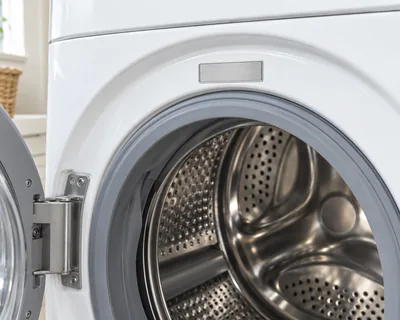
A recall is rarely “all Brand X refrigerators”. Notices identify affected units by model number and usually by a second identifier: a serial range, a date code or a batch number. The U.S. Consumer Product Safety Commission’s notice for a recent minifridge recall is a typical example: it says the model (item number) and batch number are printed on a label inside the door and lists the affected batch ranges, so a unit with the right model but a batch outside the list is not part of that recall. Before you search, photograph the full label so you hold every character. Where the label sits varies by type and brand; for instance LG puts the silver label of a front-load washer or dryer behind the door at the top of the opening, and GE puts a dryer label inside the dryer compartment on the front face. Our guide to finding the model number covers the common locations.
The primary source is the CPSC recall list at cpsc.gov/recalls. It has a search box with filters for date, hazard, category and where the product was made, and the data can also be downloaded as a spreadsheet, which helps if you want to search offline. The agency also has a recall app and a programming interface for developers. Search by brand first, then narrow by product type, and read the title of each hit: titles generally name the product and the hazard.
Manufacturers also run their own recall or safety-notice pages. Treat them as a second route to the same notice, not as a substitute: the CPSC page is where the official wording, the affected ranges and the remedy are published. Repair-company blogs that summarise recalls can be useful for orientation but may lag behind the live database, so confirm anything important on the agency page.
Make sure the product type and size (for example full-size dryer or compact refrigerator) match yours.
Suffix letters and digits often separate affected from unaffected models.
Serial range, date code or batch number from the label, as the notice specifies.
Notices state where and when the product was sold. If your unit was bought outside that window but the model and serial identifiers match, ask the company before you assume it is unaffected.
Use the instructions and the company contact in the notice, not an unrelated number.
The CPSC’s general instruction in recall notices is to stop using the recalled product and follow the listed remedy. Remedies vary: a refund, a repair at your home, a replacement part or a replacement unit. Some require you to prove ownership, for example with a photo of the label, or to make the old product unusable before the company sends the remedy, so read the steps before you act. For a warning issued without a company remedy, the agency tells consumers to dispose of the product and not sell or give it away.
The CPSC lets you subscribe to recall emails, and also publishes a feed of recalls. Subscribing is the only way to hear about a recall the week it is announced rather than after the next time you remember to look. If you register appliances with the manufacturer, keep the registration current when you move; a recall letter sent to a previous owner’s address helps no one.
If you think your appliance is dangerous but there is no recall for it, you can report it on SaferProducts.gov, the CPSC’s public database of consumer reports, or call the agency’s consumer hotline at 800-638-2772. A report is not a recall, but it is how patterns get noticed.
A recall remedy and an ordinary repair are different things. A recall repair is free to you under the terms in the notice. A repair outside a recall is subject to warranty and service charges. If your appliance is both old and recalled, ask what the remedy actually offers before you decide whether it is worth keeping; our repair-or-replace comparison explains how to weigh the cost of a repair against a new unit.
Often yes. Many notices separate affected from unaffected units by serial range, date code or batch number, so write down both numbers.
Each notice states who is eligible and what proof is required. Read its remedy section, and ask the company if the notice is unclear.
Look for the number in the owner’s manual, the original receipt or the manufacturer’s online account, or contact the brand’s support line with the product description.
It means a hazard was identified in the affected units. The notice states the hazard and tells you whether to stop using the product immediately; follow it.
Sources: CPSC recall pages are the primary source; this article is not legal advice and cannot confirm that any specific unit is or is not recalled.
CPSC: Recalls — checked 2026-11-03.
CPSC: Refrigerator recall notice (Cooluli minifridges) — checked 2026-11-03.
SaferProducts.gov — checked 2026-11-03.
LG USA: How To Find My LG Model and Serial Number — checked 2026-11-03.
GE Appliances: Find Your GE Dryer Model & Serial Numbers — checked 2026-11-03.
Label locations for washers, dryers, dishwashers and refrigerators from LG, GE and Bosch.
Guide
Symptom guide
Error codes, manuals and service calls all depend on the exact model number. Where LG, GE and Bosch put the label on…
 Comparison
When a repair is worth the money and when a new unit makes more sense: age, repair cost, safety, efficiency and parts…
Appliance code pages and brand references for washers, dryers, dishwashers and refrigerators, plus symptom guides and…
Thank you! Your feedback helps us make this page better.
Could not send. Please try again.