

 Guide
Symptom guide
Dryer Smells Like Burning or Runs Too Hot: What Is Normal and What Is a Fire Risk
A burning smell from a dryer can be harmless shipping oil or the first sign of a lint fire. How to tell which, what to…
CL on an LG dryer is Child Lock, not an error code: the control panel is locked. On most models, hold the Child Lock key for 3 seconds to turn it off.
By ApplianceCodeHQ Editorial Updated
If an LG dryer shows CL and ignores the buttons, nothing is broken. LG’s US code list says CL is not actually an error code: it means Child Lock is on and the control panel is locked. The lock stops a child — or an accidental touch — from changing the cycle or starting the dryer. Turning it off takes a few seconds once you know which key to hold. The only real trouble starts when the release does not work, and that is rare.
Look for the key labelled Child Lock or marked with a lock symbol; your manual shows where it is on your panel.
On most models, LG says to press and hold the Child Lock key for 3 seconds.
CL should disappear and the buttons respond again.
If your panel has no key labelled Child Lock, the owner’s manual shows the release for your model.
| What you see | What it means |
|---|---|
| CL, buttons do nothing | Child Lock is on: hold the Child Lock key. |
| dE on the display | Door error — the door is not fully closed. |
| Blank display, nothing lights | Not Child Lock: check power and the breaker; see the no-start guide. |
| CL released, but the dryer still will not start | A separate problem: note any code that appears. |
Different LG appliances use similar letters for different things, so a CL procedure for a washer or a dishwasher may not match your dryer. Treat LG’s “most models” as a starting point and your own manual as the final word: button labels and combinations change between panel generations. If you want the lock on — a toddler in the house is a good reason — the same key turns it back on.
Most CL questions end with the right key held for 3 seconds. Before calling, check the Child Lock section of the owner’s manual for your exact model, since key labels and positions vary between panels. If the documented key does not release CL, write down the model number from the label behind the door and the exact display, and contact LG support.
No. LG says CL is not actually an error code: it shows that Child Lock is on.
Panels differ, and LG’s code list does not say. Follow the Child Lock section of your owner’s manual.
LG’s list does not name a cause. Someone may have held the key without noticing; holding it again for 3 seconds releases it on most models.
Sources: According to the manufacturer; this is not an independent diagnosis.
LG USA: Dryer — Error Code List — checked 2026-10-26. Panel layouts differ — follow the owner’s manual of your dryer.
Door, sensor, airflow and power codes in one table.
Lock features on other appliances work differently.
Guide
Symptom guide
A burning smell from a dryer can be harmless shipping oil or the first sign of a lint fire. How to tell which, what to…
Dryers
LG dryer codes by family: door, humidity sensor, temperature sensor, airflow and power, plus the Add Water and Child…
 Guide
Symptom guide
Samsung washer CL or locked buttons can indicate Child Lock. Use the model’s labeled controls, distinguish a door…
 Guide
Symptom guide
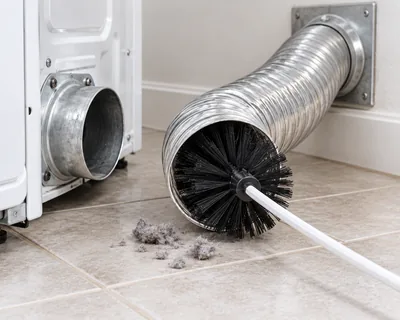
Lint in the filter and the exhaust duct is the leading factor in home dryer fires. What owners can clean, how often,…
Thank you! Your feedback helps us make this page better.
Could not send. Please try again.