

 Guide
Symptom guide
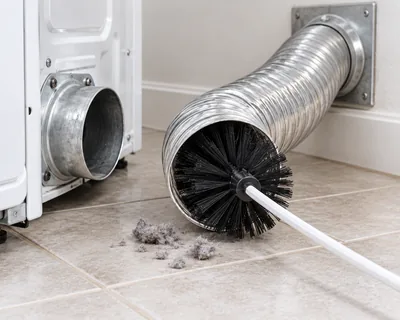
How to Clean a Dryer Vent Safely
Lint in the filter and the exhaust duct is the leading factor in home dryer fires. What owners can clean, how often,…
Samsung dryer dn means a firmware download is in progress. Leave power on, wait for the automatic restart and request support if it lasts beyond 24 hours.
By ApplianceCodeHQ Editorial Updated
Samsung dryer dn is a download-in-progress message. The dryer is receiving firmware and will restart itself after installation. Samsung specifically warns that unplugging or cutting power during this state can leave the dryer inoperable and require service. This is an important exception to ordinary error-code pages that allow a short power interruption.
This page applies to dryers that show the dn download message described in Samsung US support. It is not a universal explanation for every blank, frozen or unresponsive display, and it does not cover washer-update timing. Confirm the full model and characters. The code list does not provide an exhaustive model list or one guaranteed installation duration; file size and connection speed affect the download.
| Observation | Next step |
|---|---|
| dn during a software download | Keep power connected and allow the update to finish. |
| Controls temporarily unresponsive during a matching update | Do not assume a motor fault or try repeated power resets. |
| A different complete code | Use that code’s own guidance. AC communication and 9C1 voltage have different meanings. |
| dn still present after 24 hours | Samsung directs the owner to request service. |
Photograph dn and note when you first saw it. Record whether a software update was intentionally started through SmartThings.
Do not unplug, switch off the circuit or cycle power to make the message disappear. Avoid pressing unrelated reset combinations.
Samsung says the dryer restarts itself after installation. Wait for normal controls to return rather than trying to force a drying cycle.
If dn remains after twenty-four hours, request service with the model, update context and elapsed time. Do not invent a recovery or reflash procedure.
Samsung also documents a software update for a specific multi-control-kit case in which a washer reports dryer 9C1 shortly after the washer is turned on. That does not mean every 9C1 is an update problem. Keep the original voltage warning, installation details and download status separate when explaining the situation to support. A software message cannot certify that the electrical supply is safe.
No. That is not the dn procedure. Samsung explicitly warns against cutting power during the download.
Samsung says the file size and connection speed affect duration. The support threshold is not a promised normal download time.
Do not transfer it. This page is specifically for the Samsung US dryer entry and its twenty-four-hour service threshold.
Sources: According to the manufacturer for appliance behavior; this is not an independent diagnosis.
Samsung US: Dryer displays an error code — checked 2026-10-22.
Use the actual model and full display before choosing a procedure.
The washer has a separate download guide; its stated support boundary must not be transferred to a dryer.
Guide
Symptom guide
Lint in the filter and the exhaust duct is the leading factor in home dryer fires. What owners can clean, how often,…
 Guide
Symptom guide
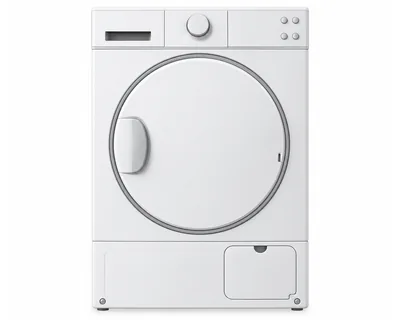
CL on an LG dryer is Child Lock, not an error code: the control panel is locked. On most models, hold the Child Lock key…
Guide
Symptom guide
On LG steam dryers, Add Water means the steam feeder is out of water. Fill it with tap water to MAX, restart the steam…
 Error code
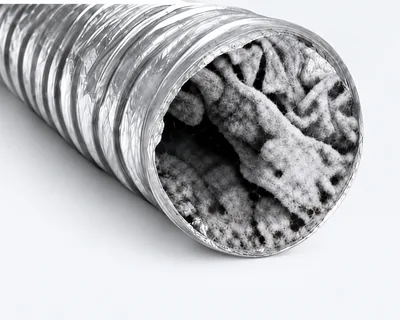
LG dryer · d80
Exhaust vent about 80% restricted — clean the duct.
Easy fix · 30–60 min
Error code
LG dryer · tE1
Thermistor error — the dryer's temperature sensor reported a problem.
Moderate
Error code
LG dryer · PS
Power supply error — improper voltage at the power cord.
Call a pro
Error code
Samsung dryer · tC
A temperature or temperature-sensor issue has been detected.
Check model first
Error code
Samsung dryer · HC
Heating error, generally excessive heat; Samsung also notes a low-voltage exception on electric dryers.
Call a pro
Error code
Samsung dryer · dC
A door, latch or door-detection problem.
Check model firstDryers
LG dryer codes by family: door, humidity sensor, temperature sensor, airflow and power, plus the Add Water and Child…
Dryers
Find ten Samsung dryer code pages, including oD dry-time reporting, with model-specific safe checks, service limits…
 Guide
Symptom guide
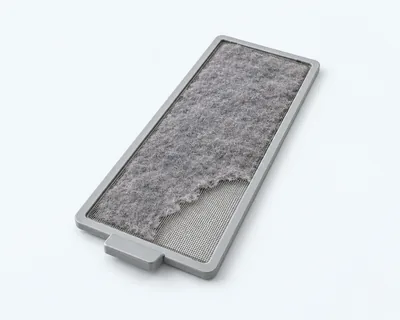
Distinguish no heat from warm but damp clothes, check the model’s cycle settings and accessible lint areas, and leave…
Error code
Samsung dryer · 9C1
Samsung groups 9C1 with supply-voltage warnings; some stacked multi-control installations have a specific software exception.
Call a pro
Error code
Samsung dryer · bE
A control-panel button is being detected as stuck or continuously pressed.
Check model first
Error code
Samsung dryer · AC
Internal dryer components are not communicating with each other as expected.
Call a pro
Error code
Samsung dryer · FC
The dryer reports an invalid power-source frequency; Samsung also lists FE and 1 FC in this group.
Call a pro
Error code
Samsung dryer · 3C
Samsung lists 3C as a dryer motor error, with service required if the documented recovery does not resolve it.
Call a proThank you! Your feedback helps us make this page better.
Could not send. Please try again.